









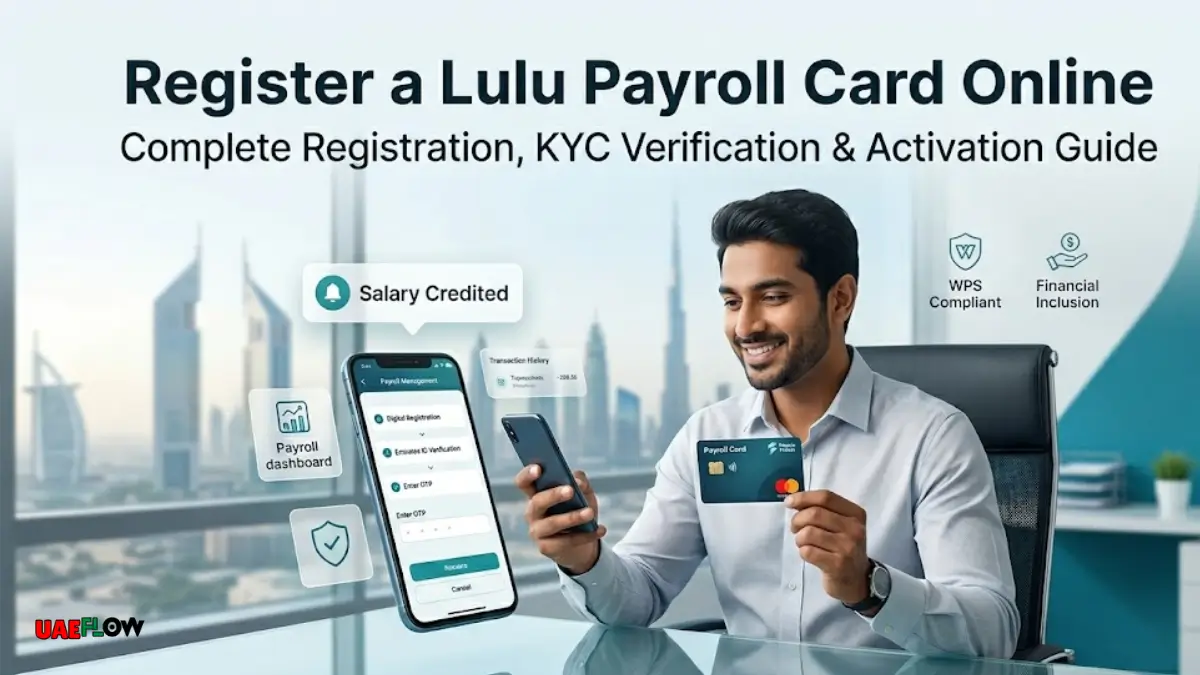
To register a Lulu Payroll Card Online 2026, follow these steps:To register a Lulu Payroll Card Online 2026, you must follow these steps:
Table Of Content
- What is a Lulu Payroll Card?
- Who Can Register a Lulu Payroll Card Online?
- Requirements Before Registration
- How to Register a Lulu Payroll Card Online in 2026
- Step 1: Download the LuLu Money App
- Step 2: Open the App and Tap Sign Up
- Step 3: Enter Emirates ID Details
- Step 4: Verify Your Mobile Number With OTP
- Step 5: Connect Your Lulu Payroll Card
- Step 6: Complete KYC Verification
- Step 7: Set Your PIN or Password
- Step 8: Log in to Your Payroll Card Dashboard
- Employer Registration for Lulu Payroll Cards
- How to Activate Lulu Payroll Card After Registration?
- How to Check Lulu Payroll Card Balance Online?
- Common Issues During Lulu Payroll Card Registration
- Mobile Number Not Registered
- Emirates ID Expired
- OTP Not Received
- Card Not Linking
- Account Requires Branch Visit
- Safety Tips for Using Lulu Payroll Card
- Benefits of Registering Lulu Payroll Card Online
- Is it Possible to Register a Lulu Payroll Card Without Going to a Branch?
- Conclusion
- FAQs
- 1. Can I register my Lulu Payroll Card online?
- 2. Do I need Emirates ID?
- 3. Do you need to visit the branch?
- 4. Is it possible to register without my employer?
- 5. What is the reason for the lack of OTP?
- 7. What is the minimum amount required to open a new account?
- 8. Is Lulu Payroll Card a bank account?
- 8. Can I withdraw cash from ATM?
- If my Emirates ID has expired, what then?
- 10. If my card is lost?
Many employees in the UAE use a Lulu Payroll Card to get paid without a bank account. It is often linked to the WPS salary system of LuLu Exchange, called MyPay: MyCard, which is intended for companies and workers in the UAE Wages Protection System. According to LuLu Exchange, this payroll card is a WPS-compliant debit card solution for corporate employers and employees.
Many users are interested in knowing how to register a Lulu Payroll Card online in 2026 as it makes salary management easier. After registration, eligible users can view salary credits, transactions, access LuLu Money app services, and manage their account more securely.
But there is one thing to keep in mind: the payroll card is typically provided by your employer. Your employer needs to be connected with LuLu Exchange payroll services before you can access your LuLu Money or payroll-related services online.
What is a Lulu Payroll Card?
A Lulu Payroll Card is a salary card offered as part of LuLu Exchange’s payroll solution. It is primarily used by employees of companies that pay salaries via the UAE Wages Protection System (WPS).
The card enables workers to receive salary payments, withdraw cash and access supported card services. According to LuLu Exchange, the MyPay: MyCard salary solution operates on the Mastercard network and provides employees with cash at certain ATMs in the UAE.
This card is helpful for many employees who don’t have a personal bank account. It also enables employers to process salaries in a more organized and compliant manner.
Who Can Register a Lulu Payroll Card Online?
If you are an employee who is paid via a Lulu Payroll Card or you already have a LuLu Exchange customer profile, you may be able to register online.
Usually, online registration is suitable for:
- Staff who are paid via LuLu Exchange payroll services.
- Users who have a valid Emirates ID.
- Registered mobile number or email address customers.
- Users of LuLu Exchange who have already completed their KYC process.
- If you are a new user and wish to register via the LuLu Money app.
LuLu Money’s official FAQ states that new users can register with an email ID, mobile number and Emirates ID and then verify with OTP. Users will need to go to a nearby LuLu Exchange branch to do KYC in some cases, which requires the original Emirates ID.
Requirements Before Registration
To begin the Lulu Payroll Card online registration process, have these details ready:
- Valid Lulu Payroll Card or salary card information.
- Valid Emirates ID.
- Registered UAE mobile number.
- Active email address.
- LuLu Money mobile app.
- Internet connection.
- Employer payroll record.
- Original Emirates ID for KYC verification (if applicable).
The mobile number and Emirates ID must be the same as the information already entered in the LuLu Exchange system. You might encounter problems when you register if your employer has entered a different number or your Emirates ID has expired.
How to Register a Lulu Payroll Card Online in 2026
To register a Lulu Payroll Card online in 2026, follow these steps:To register a Lulu Payroll Card online in 2026, you must follow these steps:
Step 1: Download the LuLu Money App
Download the official LuLu Money app from Google Play Store or Apple App Store. Only install the official app. Do not use third-party APK files or unknown websites as payroll cards and salary accounts have sensitive financial information.
According to the LuLu Money app listing, users can register using their registered mobile number or email ID and undergo eKYC verification.
Step 2: Open the App and Tap Sign Up
Once you have installed the app, open it and click on sign up or register. If the app asks for your country, select UAE. Next, type in your cell phone number and email address.
Use the same mobile number that is linked with your payroll card or LuLu Exchange profile. The system may not recognize your account if you enter a different number.
Step 3: Enter Emirates ID Details
In Step 3, enter Emirates ID Details.In Step 3, enter Emirates ID Details.
Then, carefully enter your Emirates ID information. Emirates ID is crucial because it is used to verify your identity. According to LuLu Money’s FAQ, a valid Emirates ID is required for identity verification and users might be required to bring the original ID for KYC verification.
Please verify the Emirates ID number before submitting. Your account may not connect correctly if you make a small error.
Step 4: Verify Your Mobile Number With OTP
Once you fill in your basic information, you will receive an OTP on your registered mobile number. Enter the OTP in the app to verify your number.
Do not give this OTP to anyone. According to LuLu Money’s terms, OTP is a security number that is sent to the user’s device for registration and further use of the app.
If you don’t get the OTP, make sure you have a good cell phone signal, double check the number and try again after a few minutes.
Step 5: Connect Your Lulu Payroll Card
After verification, the app might request you to connect your salary card or payroll card. If your mobile number, Emirates ID and payroll information match, your account may be detected automatically.
If the card is not showing up, it could be because your payroll profile is not active yet, your employer has used another mobile number, or your KYC information is out of date.
Step 6: Complete KYC Verification
KYC stands for Know Your Customer. It is a required identity verification process for financial services. According to LuLu Money’s FAQ, new customers might have to go to the closest LuLu Exchange branch with their original Emirates ID to do KYC. Existing customers will also have to visit a branch if their account is not found or their Emirates ID has expired.
This is crucial as your account will not be fully activated until identity and compliance checks are completed.
Step 7: Set Your PIN or Password
After successful verification, you may be asked to create a login PIN or password. Select a safe PIN that is not easily guessed. Avoid using your birth year, phone number, or repeated digits.
If you have biometric login on your phone, you can use it to make it easier to log in. However, the primary PIN should be kept confidential.
Step 8: Log in to Your Payroll Card Dashboard
Once registered, you can log in and view services available. Depending on your account eligibility, you can see salary credits, transaction history, card balance, remittance options, and other LuLu Money services.
According to LuLu Money, users can monitor transactions and transfer funds to numerous countries via the app.
Employer Registration for Lulu Payroll Cards
Employers can register employees for Lulu Payroll Cards in a variety of ways.There are several ways that employers can register employees for Lulu Payroll Cards.
Typically, employees are not able to make a payroll card entirely by themselves. The employer first registers with LuLu Exchange payroll or WPS services. The company then provides employee information, salary details, and necessary documents.
The salary card can be issued after the employee is entered into the payroll system. Once the employee receives the card, they can register online or access the app with the necessary information.
This means if you have not received your card yet, you should first contact your company HR or payroll department.
How to Activate Lulu Payroll Card After Registration?
Registration and card activation are not synonymous. Once you receive your card, you might have to activate it before you can use it for ATM withdrawals or transactions.
Common activation steps may include:
- Setting a card PIN.
- The use of a supported ATM.
- Completing KYC.
- Verifying your account on the LuLu Money app.
- Contacting LuLu Exchange if the card is blocked.
If your card fails to function after you register, do not enter several incorrect PINs. It is better to contact LuLu Exchange support or visit a branch.
How to Check Lulu Payroll Card Balance Online?
To check the balance of your Lulu Payroll Card online, you can follow these steps:
Once registered, many users wish to view their Lulu Payroll Card balance online. The simplest way is typically via the LuLu Money app, provided that your card and account are properly connected.
You can also review your salary credits and transaction history within the app, if services are available. LuLu Money states that users can view transaction history via the app.
Other options include checking your ATM balance, sending an SMS message, or going to a LuLu Exchange branch. Availability can depend on your card type and employer payroll setup.
Common Issues During Lulu Payroll Card Registration
Common issues that may arise while registering for Lulu Payroll Card
Mobile Number Not Registered
If your mobile number is not listed, please call your employer or LuLu Exchange branch. The number on your payroll record may be different.
Emirates ID Expired
You might need to update your Emirates ID before accessing online services if it has expired.
OTP Not Received
Wait a few minutes and request a new OTP from your SIM network. Ensure that your number is in service.
Card Not Linking
This can occur when your employer has not enabled your payroll profile, or your information is not consistent with the system.
Account Requires Branch Visit
There are some users who can register online, but require branch verification before full activation.
Safety Tips for Using Lulu Payroll Card
Here are some tips for using Lulu Payroll Card safely.
- Always use the official LuLu Money app or official LuLu Exchange website.
- Do not provide your OTP, card PIN or app password.
- Do not give your card to another person.
- Don’t log on to public Wi-Fi.
- Ensure that your Emirates ID is kept up to date.
- Report a lost or stolen card immediately.
- Avoid using unknown agents that claim to activate your card for a fee.
- Your payroll card is linked to your salary, so use it like a bank card.
Benefits of Registering Lulu Payroll Card Online
There are several advantages to registering Lulu Payroll Card Online.There are a number of benefits to registering Lulu Payroll Card Online.
You can register your Lulu Payroll Card online, which can help you manage your salary. It is not necessary to go to a branch for every little question. You can easily view services available, track transactions and control your salary card.
It is particularly useful for employees who send money to family, monitor monthly salary credits, or wish to have more convenient access to their payroll card via digital means. LuLu Exchange also claims that the salary card issued by them can be used by the WPS customers on the LuLu Money transfer app for money transfer services.
Is it Possible to Register a Lulu Payroll Card Without Going to a Branch?
Registration is available online via the LuLu Money app. But not all users can go through the entire process online.
You might need to go to a LuLu Exchange branch with your original Emirates ID if you are a new customer, if your KYC is not complete or if your Emirates ID has expired. Current verified customers might be able to go through more steps online.
So, yes, online registration is possible, but in some instances, branch verification may still be required.
Conclusion
If your mobile number, Emirates ID and payroll information is accurate in the LuLu Exchange system, you can register a Lulu Payroll Card online in 2026 easily. Download the official LuLu Money app, register with your email or mobile number, verify your OTP, enter Emirates ID details, complete KYC and link your payroll card.
If the card is not received or the account is not activated, please call your employer or visit the nearest LuLu Exchange branch. Always use official channels and never share your OTP or PIN with anyone.
FAQs
1. Can I register my Lulu Payroll Card online?
Yes, you can register via LuLu Money app.
2. Do I need Emirates ID?
Yes, an Emirates ID is necessary.
3. Do you need to visit the branch?
In some cases, particularly for KYC verification.
4. Is it possible to register without my employer?
Usually no. The card is issued via employer payroll.
5. What is the reason for the lack of OTP?
Your number might be incorrect, inactive, or experiencing network problems.
7. What is the minimum amount required to open a new account?
Yes, if your card is linked with the LuLu Money app.
8. Is Lulu Payroll Card a bank account?
No, it’s a payroll salary card.
8. Can I withdraw cash from ATM?
Yes, via supported ATMs.
If my Emirates ID has expired, what then?
Visit LuLu Exchange to update KYC.
10. If my card is lost?
Report it to LuLu Exchange immediately.




No Comment! Be the first one.